
How to Download the Latest SportyBet Nigeria App
📲Get the latest SportyBet Nigeria app easily. Learn installation tips, device support, registration, secure betting, and how to stay updated for smooth gaming fun!⚽
Edited By
Olusegun Adebayo
Downloading the SportyBet app APK in Nigeria offers a fast and convenient way to place bets right from your mobile device. However, since the app isn’t available on Google Play Store due to licensing and policy reasons, you must manually download the APK file from a trusted source.
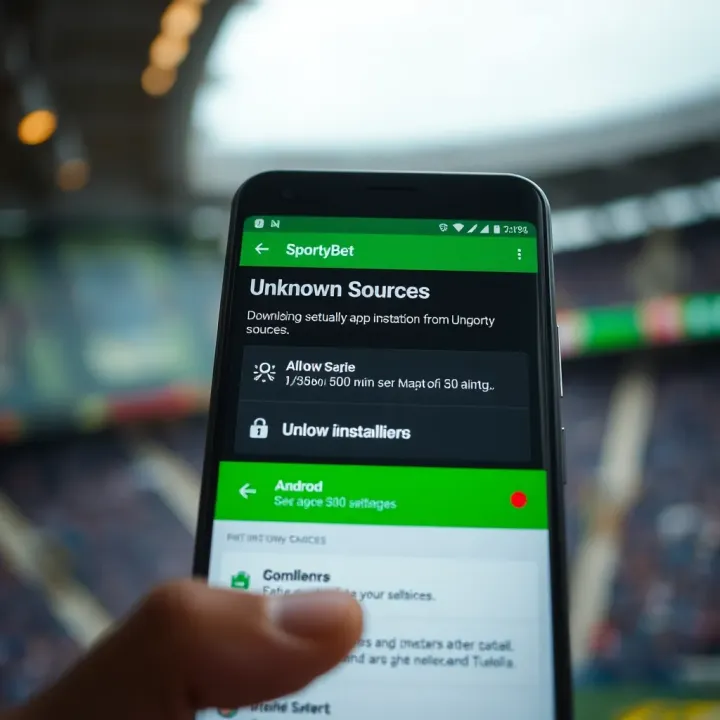
Before proceeding, you need to ensure your Android device can install apps from unknown sources. This setting is usually found in Settings under Security or Privacy. Turning this on temporarily allows the APK file to install but remember to disable it after installation for security.
It’s vital to confirm the authenticity of the APK source. Downloading from unofficial websites risks malware infections and data breaches. The safest bet is to get the app directly from SportyBet’s official Nigerian website or their verified social media pages. These platforms regularly update the APK file to match the latest software version and security standards.
Keep your internet connection stable when downloading. A broken or slow connection could corrupt the APK, leading to installation errors.
Here’s a quick checklist to get you ready:
Enable 'Install from Unknown Sources' on your device.
Download the APK directly from the official SportyBet Nigeria site.
Confirm your phone has at least 100MB free storage space.
Check your Android version (SportyBet APK requires at least Android 5.0).
Use a reliable internet connection, preferably Wi-Fi or a stable mobile network.
Always scan the APK file with a trusted antivirus app before installation. This extra step helps keep your device secure in Nigeria’s sometimes unpredictable digital environment.
Understanding these basics keeps your SportyBet app experience smooth and safe from the start. Next, you will find a detailed guide on the exact steps to download and install the app on your Android device.
The SportyBet app offers Nigerian users a mobile-focused platform that greatly improves the betting experience compared to just using the website. Understanding this app and what it brings helps you decide if installing the APK is worth your time and data.
Using the SportyBet app provides faster access and a smoother interface than the website, which can lag on slower networks common in many parts of Nigeria. Unlike browser betting, the app handles live updates more efficiently, reducing delays when placing bets on live football matches or other sports. For example, during intense football games like the Nigeria Professional Football League (NPFL), the app refreshes odds quickly so you won't miss good betting opportunities.
The app also works better with push notifications. You get timely alerts about upcoming matches, promotions, or winnings without constantly refreshing your browser. That means you can react quickly to bet changes or bonus offers, which is especially useful when you’re on the go or in busy traffic like in Lagos or Abuja.
The SportyBet app includes features tailored for Nigerian bettors that make it a strong choice. First, it supports local payment methods like Paystack, Flutterwave, and direct bank transfers from Nigerian banks, making deposits and withdrawals straightforward and faster.
Another useful feature is the multi-bet option, allowing you to place accumulative bets on several sports events at once. This increases your potential earnings without much hassle. Also, the app has a dedicated customer support chat available within the app, eliminating the need to leave or call another number when you face issues.
Aside from betting, SportyBet occasionally offers free bets and bonuses specific to Nigerian users, especially during major events like the Africa Cup of Nations or the Super Eagles’ matches. Using the app enhances your chances to spot and claim these offers early.
Installing the SportyBet app means more than just convenience—it means staying in control of your bets with timely information and effortless access to Nigeria’s favoured sports betting options.
Choosing the app over the website saves you data, provides smoother performance on typical Nigerian internet connections, and gives direct access to local payment solutions. These benefits strongly recommend the app for anyone serious about sports betting in Nigeria.
Before downloading and installing the SportyBet APK, preparing your Android device properly ensures a smoother experience and prevents common hiccups. Taking time to check compatibility and adjust device settings can save you the stress of failed installs or app malfunctions later.
Your phone’s compatibility with the SportyBet APK is the first step to confirm. Most modern smartphones running Android 7.0 (Nougat) and above will support the app. For example, if your device is a Samsung Galaxy A21 or a Tecno Camon 17—all popular models among Nigerian users—it should run the app without issues. However, older phones or models with customised operating systems may encounter problems.
Storage space is another key factor. The SportyBet APK itself may take around 50MB, but you should also allow extra room for updates and cached files, so having at least 200MB free is advisable. To check, go to your phone settings, navigate to Storage, and confirm the available space. Nigerian users often keep multiple apps from marketplaces like Jumia or Konga, so it’s worth clearing unused apps or large media files to free up space before downloading the APK.
Since the SportyBet APK is downloaded outside the Google Play Store, you must enable the installation of apps from unknown sources. Android’s security settings restrict this by default to avoid malicious apps.
To enable safely:
Head to Settings > Apps & notifications > Special app access > Install unknown apps.
Select the browser or file manager you will use to download the APK, such as Chrome or Files by Google.
Toggle on Allow from this source.
It’s important to enable this only for trusted browsers or file managers. After installing SportyBet, disable this setting again to keep your device secure. This small practice reduces exposure to harmful apps, especially in Nigeria where fake APKs circulate severally on unofficial sites.
Always download the SportyBet APK from the official website or verified sources to avoid infecting your phone with malware.
Preparing your phone with these steps helps you avoid common pitfalls like insufficient storage errors or blocked installations. It puts you on a clear path to enjoying SportyBet’s betting features swiftly and securely.
Downloading the SportyBet APK safely is essential to protect your device and personal information from malware and fraud. With the rise of fake apps posing as SportyBet, knowing exactly where and how to get the genuine APK makes your betting experience smooth and worry-free. It also ensures you receive updates and features as soon as SportyBet rolls them out, avoiding glitches or security loopholes.
For the best security, the official SportyBet website remains the primary and safest place to download the APK. This is because SportyBet manages the APK files directly, guaranteeing the version is authentic and free from harmful alterations. Before downloading, confirm the website URL matches the official domain—be wary of slight misspellings or extra words that scammers add to mimic the site.
Downloading from the official site also helps you avoid older versions of the app, which can cause problems or miss out on new features. For instance, users who got the APK directly from SportyBet experienced fewer glitches during big football events like the UEFA Champions League matches last year. So, always double-check the official website first.
Fake APK files can look very convincing but often contain malware or spyware aimed at stealing your data or account credentials. These fake versions usually circulate on third-party websites or social media platforms, targeting unsuspecting users eager to download quickly.
To protect yourself:
Never download SportyBet APK from unverified sources like unknown blogs or random download sites.
Avoid clicking random links from WhatsApp groups or social media stories promising "free bets" or "exclusive offers." These often lead to malicious sites.
If the APK file is unusually small or unusually large compared to what the official site shows, reconsider downloading it.
When you cannot access the official site directly—perhaps due to network restrictions or server downtime—alternative trusted sources may help. These include well-known app stores that support APK downloads, such as the Google Play Store if SportyBet is listed there, or reputable Nigerian tech platforms recognised for software distribution.
Before downloading from alternative sites, verify these signs:
Check user reviews and ratings. Genuine users often report if the APK posed issues or if it is real.
Confirm the APK signature or hash matches what SportyBet publishes on its official channels; this technical detail ensures file integrity.
Use antivirus or mobile security apps to scan the APK before installation.
Remember, a little caution here saves you from the much larger hassle of data loss, device infection, or compromised betting accounts later.
In summary, always try the official SportyBet website first for your APK download, steer clear of shady sources, and double-check alternative options carefully. This approach not only keeps your device safe but also optimises your experience as a SportyBet user in Nigeria.
Downloading and installing the SportyBet APK on your Android device is a straightforward process, but following each step carefully is essential to avoid common pitfalls. This guide ensures that Nigerian users can get the app running quickly, with minimal hassle, ready for smooth betting. Given the frequency of unreliable downloads or network interruptions in some areas, the emphasis is on stable internet use and proper handling of the APK file.
A stable internet connection is a must when downloading the SportyBet APK file. Poor connectivity can cause incomplete downloads, which may lead to installation errors. Many Nigerians rely on mobile data plans with limited data caps, so using a Wi-Fi connection at home, a trusted internet café, or an office network can save both time and money.
Make sure your network speed is sufficient — typically above 1 Mbps for a smooth download. For example, if the APK size is about 40 MB, a slow connection can drag the download to several minutes or create corrupt files if interrupted. Checking your connection strength before starting the download helps avoid restarting the process several times. Use your phone’s built-in data saver or restrict background apps to prioritise the download’s speed.
Once you have the complete APK file, the next step is installation. Navigate to your file manager and locate the downloaded file, usually in the "Downloads" folder. Tap on the APK file to trigger the installation prompt.
If you haven’t done so already, your device will ask you to enable installation from unknown sources for SportyBet — this is a necessary step since the app is not from the official Play Store. To do this safely, allow the permission only temporarily for the browser or file manager you are using.
Avoid rushing this step. Confirm the app permissions and review any requested access carefully to protect your device. After granting permission, the installation should proceed within seconds. If you encounter any errors, check your phone’s storage space or disable any security apps that might be blocking the install.
After installing SportyBet, open the app from your home screen or app drawer. The first launch might take a short moment as the app loads resources and updates.
Setting up your account is simple. You’ll need a valid Nigerian phone number and email address. Enter accurate details to avoid verification issues later. SportyBet may send a one-time password (OTP) via SMS for confirmation. Once verified, you can log in and explore the app features.
Take a moment to personalise your profile and set your preferred notification settings. This improves your betting experience by delivering timely updates on matches and promotions.
Always keep your SportyBet app updated to the latest version. Recent updates fix bugs and add features critical for seamless use.
Following these steps will have you ready to enjoy betting securely and conveniently on SportyBet using your Android device in no time.
Navigating installation problems while keeping your device safe is key when downloading the SportyBet APK in Nigeria. These steps save you from frustration and protect your phone from malware, which is especially important given the number of fake apps circulating online. This section addresses the typical hurdles you might face and how to keep your device secure.
One common problem is slow or interrupted downloads due to poor network coverage or unstable internet service. To fix this, switch to a more reliable Wi-Fi or try downloading during off-peak hours when network congestion lessens. Another frequent issue arises when the APK file is corrupted or incomplete, causing installation failure. Make sure to download the file from the official SportyBet website or trusted sources only.
If you get a "Parse Error" or "App Not Installed" message, it often means an incompatible or outdated app version. Check your Android OS version and update it if necessary before retrying the installation. Occasionally, conflicting settings such as previously installed SportyBet versions may block the fresh install. Uninstall the old app entirely and clear your device’s cache before installing the new APK.
Since APK files come from outside the Google Play Store, there’s a risk of malware if you use unverified sources. Always download from SportyBet’s official site or recognised distributors like popular Nigerian tech forums. Avoid random links on social media or unsolicited emails offering the app.
Install a reputable antivirus or mobile security app to scan APK files before installation. Periodic scanning of your device helps catch any threats early. Regularly update your security software alongside your phone’s OS for maximum protection. Never provide unnecessary permissions during app setup—SportyBet typically requests permissions related only to basic functions like internet access.
Keeping your SportyBet app updated ensures you enjoy the latest features and patch security loopholes. Unlike Play Store apps, APK updates require you to manually check for new versions on the official website. Once you download a newer APK, the installation process will simply upgrade your existing app without losing data.
Manage app permissions through your phone’s settings. Disable any permissions you consider excessive, such as access to contacts, call logs, or SMS, unless explicitly needed by the app. Over time, reviewing permissions can prevent accidental sharing of private data.
Pro tip: Regularly reboot your device after app updates and monitor its performance. Any unusual behaviour like rapid battery drain or lag might suggest a security issue or incompatible app version.
By following these guidelines, you will cut down on common installation troubles and keep your Android device safe while using SportyBet. It’s always better to be cautious with APKs, but with reliable sources and good habits, your betting experience can remain smooth and secure.
📲Get the latest SportyBet Nigeria app easily. Learn installation tips, device support, registration, secure betting, and how to stay updated for smooth gaming fun!⚽
📲 Discover how to safely download the latest SportyBet APK in Nigeria. Get tips on installation, device compatibility & solving common issues for smooth betting fun!
📲 Learn how to download and use SportyBet app in Nigeria! Register, deposit ₦, place bets, withdraw winnings, and get tips for safe downloads and smooth betting.
📱 Learn how to download the SportyBet app from Play Store, register easily, place bets, and secure your funds with trusted payment options. Start winning in Nigeria now!
Based on 6 reviews