
How to Download and Use the SportyBet App in Nigeria
📲 Learn how to download and install the official SportyBet app in Nigeria, discover easy registration, top features, and tips for safe, smooth sports betting on your phone.
Edited By
Funke Adeniran
SportyBet app has become a popular choice for many Nigerians who want to place sports bets conveniently on their mobile devices. Whether you are into football, basketball, or other sports, having the app means you can access betting markets anytime and anywhere without waiting to visit a physical shop.
To get started, the app is available for both Android and iOS users. Since Google Play Store restricts betting apps in Nigeria, Android users must download the SportyBet APK directly from the official SportyBet website or trusted platforms. iOS users can find the app on the Apple App Store without hassle.
Once downloaded, installation is straightforward. Android users should enable installations from unknown sources in their phone settings before proceeding, while iOS installation runs like any other app.
After the app is installed, open it and you will find a clean and intuitive interface. Registration is your next step – provide your valid phone number, create a secure password, and verify your account via SMS or email.
An important thing to highlight here is security. Always download the SportyBet app only from official sources to avoid counterfeit versions that might compromise your data.
For a seamless experience, ensure your device’s software is up to date, and you are connected to a reliable internet service, be it MTN, Airtel, or any other network.
With your account active, explore the app’s features. You can deposit funds using multiple payment methods popular in Nigeria, such as bank transfers, USSD codes, and mobile money services. Deposits reflect quickly, which lets you place bets immediately.
The app also offers live betting options, allowing users to wager on events as they unfold in real time. Notifications keep you updated on odds changes and match results, making it easier to stay engaged.
To summarise, the SportyBet app blends convenience with a user-friendly design tailored for Nigerian bettors. Getting it set up is no rocket science, and once done, you can join the millions who enjoy betting right from their smartphones without the stress of traffic or waiting line at a betting spot.
Downloading the SportyBet app from reliable sources ensures you get a secure, genuine version free from malware or scams. Since the app handles your betting accounts and payment details, getting it from trustworthy platforms protects your data from hackers and fraudsters. For users in Nigeria, understanding where to download the app safely is as important as using the app itself.
The most straightforward way to download the SportyBet app is directly from their official website. This guarantees you receive the latest and authentic version of the app, thereby reducing the risk of encountering buggy or tampered files. For example, downloading from the site ensures you are not stuck with an outdated version that may lack critical updates or security patches.
Downloading from the website also helps users who have devices unsupported by Google Play Store due to regional restrictions. Here, you can download the APK file safely and follow clear instructions on installation. Remember to only use the URL shown in official SportyBet communications to avoid phony sites.
For Android users, Google Play Store remains a trusted platform to download apps securely. SportyBet maintains updated versions on Google Play, which undergoes regular security reviews to limit distribution of harmful software. Installing via Google Play also helps in automatic updates, so you always access the app's latest features without manual intervention.
Moreover, Google Play verifies publisher credentials, adding an extra layer of trust. However, some users report occasional issues with regional availability. In such cases, the official website serves as a reliable alternative.
iPhone and iPad users benefit from the App Store's stringent review process. SportyBet on the App Store has passed Apple's security and quality standards, ensuring you get a well-functioning app that respects your privacy. Considering Apple’s regular app vetting, downloading from the App Store reduces concerns about harmful or fake apps.
Also, the App Store supports seamless integration with iOS features such as Face ID and secure payments which enhances your betting experience on SportyBet.
Downloading SportyBet from unknown third-party sites risks your device getting infected with malware or spyware. Fake versions of the app may steal passwords, payment details, or perform unauthorised transactions on your account. Cases have surfaced in Nigeria where users lost money after installing clone apps from dubious links shared on social media or messaging platforms.
Beyond financial loss, these apps may hijack your phone to send spam or cause harm to your privacy. Therefore, any source outside the official website, Google Play Store, or App Store should be treated with caution.
Before installing, check the app publisher’s name—official SportyBet apps clearly show the company’s name. Look at user reviews and ratings; genuine apps usually have thousands of downloads and consistent feedback.
You can also verify the app’s digital signature or check if the website providing the download has secure HTTPS certification. SportyBet's official channels often communicate directly on social media or email to confirm where to download safely.
Enable your device’s security settings like "Play Protect" on Android or app permissions review on iOS to catch threats early. Avoid enabling "Install from Unknown Sources" permanently; only allow it temporarily when directly downloading from SportyBet’s official site.
Use reputable antivirus apps to scan downloaded files before installation. Lastly, keep your device’s operating system updated, as updates patch vulnerabilities often exploited by malicious apps.
Always prioritise official download sources and maintain strong digital hygiene to enjoy a safe and smooth SportyBet betting experience in Nigeria.
Installing the SportyBet app on your device is the first step for an uninterrupted betting experience. Whether you use an Android or iOS phone, proper installation ensures you access the app's full features, including live betting, deposits, and withdrawals. Failing to install correctly might lead to app crashes or security risks, which can frustrate you when you’re trying to place bets quickly or check results.
For Android users, enabling app permissions is crucial before installation can proceed smoothly. The SportyBet app requires access to certain functions like storage and network to download and operate effectively. You’ll usually be prompted to grant these when downloading the APK file or installing via the Google Play Store. For example, without permission to access storage, the app cannot save betting data or updates, which may cause issues while using it.
To enable these permissions, go to your device's Settings > Security, and toggle on 'Allow installation from unknown sources' if you choose to download the app outside the Play Store. This step is vital since many users prefer downloading directly from the official SportyBet website for the latest app version.
Once the necessary permissions are in place, downloading the app usually takes just a few minutes, depending on your internet speed. After downloading the APK, tap on it to start installation. The device will run through automatic checks to verify the app's integrity before completing the installation.
It’s important to double-check the download source because unofficial sites may distribute corrupted files or malware. Stick to the official SportyBet website or the Google Play Store to avoid these risks. Finishing the installation correctly ensures the app runs smoothly and updates are received without hassle.
iOS users enjoy a slightly straightforward process since the SportyBet app is available on the Apple App Store. Simply open the App Store, search for "SportyBet," and tap ‘Get’ to download and install. Your device handles app permissions automatically, making the process seamless.
However, make sure your device is running iOS 11 or later for compatibility. Older iPhones or iPads might not support the app, leading to failed downloads or unstable performance. Having sufficient storage space is also essential; the app size is around 50MB but can grow with updates.
Sometimes, iPhone users face issues such as the app not downloading, getting stuck on installation, or the app crashing post-install. These can result from outdated iOS versions, storage shortages, or network problems. Restarting your device or resetting network settings often resolves such glitches.
If an "App not verified" alert appears, it usually means the app is from an external source and hasn't been approved by Apple. Always use the official App Store to avoid this and ensure your app runs securely. If issues persist, clearing cache or reinstalling the app often settles typical bugs.
Always keep your device’s operating system updated and download directly from trusted sources to enjoy a smooth and secure experience with the SportyBet app.
By following these installation guidelines specific to your device, you ensure faster access to betting markets and reduced interruptions when placing bets, making your experience on SportyBet both safe and enjoyable.
Setting up and managing your SportyBet account is the foundation of a smooth betting experience. Before you start placing bets or funding your wallet, creating a reliable account ensures your activities are secure and personalised. It also helps with compliance to Nigeria’s betting regulations, making your transactions transparent and trustworthy.
When registering on the SportyBet app, you need to provide some basic but important details. This typically includes your full name, date of birth, and residential address. Giving accurate information helps with identity verification later and safeguards your account from misuse. For example, if you deposit ₦5,000 using your account, having correct details simplifies withdrawal processes when you win.
Additionally, you’ll need to set preferences like your preferred language or currency, usually Nigerian Naira (₦). This personalises your experience, ensuring you see odds and balances in a familiar format without confusion.
During signup, you can register with either your mobile number or email address. Using your mobile number is the most popular option in Nigeria because it allows for quick verification via SMS code, which speeds up the process. Plus, mobile numbers double as your username often, so remembering login credentials becomes easier.
On the other hand, registering with an email can be handy if you want to receive regular newsletters, promotions, or updates directly to your inbox. This is useful for users who check emails more frequently than SMS or prefer to keep betting notifications separate.
SportyBet, like many Nigerian platforms, requires account verification with your BVN to meet legal standards and prevent fraud. Linking your account to your BVN confirms you are the legitimate owner of the bank account and helps block identity theft. It’s particularly important when you plan to deposit large sums or withdraw winnings regularly.
For instance, if your BVN verification fails, you might face delays in withdrawing ₦50,000 or above because the system cannot match your details. Verifying BVN early on avoids such bottlenecks and builds trust between you and the sportsbook.
Security is vital since your SportyBet account holds your funds and personal data. Always create a strong password that combines letters, numbers, and special characters rather than simple phrases like "password123". A strong password reduces the risk of hackers breaking into your account.
Besides your password, setting a PIN (Personal Identification Number) adds an extra layer of protection. The PIN often confirms transactions like deposits or withdrawals, so even if someone guesses your password, they would still need the PIN to move money.
Always update your password every few months and never share your login details with anyone. Your account security protects not just your funds but also your betting history and personal details.
By properly creating and managing your SportyBet account, you’ll enjoy a safer, more seamless betting experience tailored to your needs. With the correct info, clear verification, and strong security, your journey on the app starts on the right foot.
Funding your SportyBet account is the first step to engaging fully with the app’s betting features. Without credit, you cannot place bets, let alone win from them. Understanding how to deposit funds conveniently and securely helps you avoid delays and errors so you can focus on enjoying the betting experience.
Using bank transfers and USSD codes: Most Nigerian users prefer direct bank transfers or USSD codes to fund their betting accounts because these channels are widely available and familiar. For example, using your bank’s USSD code like *737# (GTBank) to make a transfer to SportyBet instantly credits your betting wallet without launching the app. This method is practical during power outages or poor internet situations since USSD works without data.
Bank transfers through online banking apps or bank teller services also remain a reliable option. SportyBet provides dedicated bank account details for deposits, ensuring your funds reach your betting wallet safely. Just remember to include your SportyBet ID or phone number in the transfer description to speed up wallet crediting.
Popular mobile wallets like OPay and Paystack: Increasingly, mobile wallets such as OPay and Paystack have become favourite options among Nigerian bettors. These wallets offer quick top-ups with added convenience since they operate directly from your smartphone app. OPay, with its extensive agent network, lets you also deposit cash at agent points, which is handy if you prefer using physical money.
Paystack integrates seamlessly within the SportyBet app to accept debit cards or direct wallet funding. This lets users avoid unnecessary back-and-forth between platforms. For example, you can fund your SportyBet wallet with a debit card using Paystack without leaving the betting interface, making it a smooth and straightforward experience.
Single bets and multiple bets explained: Understanding how to place different bets improves your chances of making informed decisions. A single bet is straightforward: you stake on one event's outcome, say the final score of a football match. If it wins, you get paid according to the odds.
Multiple bets combine more than one selection into a parlay or accumulator bet. While riskier, this bet offers bigger returns if all your choices come through. For instance, betting on three different matches all to end in your predicted way multiplies your potential winnings but requires more accuracy.
Live betting features available in the app: SportyBet’s live betting lets you place wagers on events that are already in progress. This adds excitement and allows you to react to shifting game dynamics. Say a strong team concedes an early goal; the live odds will change, and you can decide whether to bet on a comeback or another outcome.
Live betting requires close attention and quick decision-making, so using it on your mobile device gives you the freedom to bet anywhere, even on the okada ride home. SportyBet displays odds updates in real time, making it easy to capitalise on fluctuating game situations.
Depositing promptly and knowing how to place different bet types give you the flexibility and control needed to maximise your betting experience on SportyBet.
Understanding how to withdraw your winnings and manage your balance in the SportyBet app is essential for a smooth betting experience. After all, the thrill of winning is only complete when you successfully cash out your rewards and keep track of your spending. Handling these tasks efficiently prevents frustration and helps you maintain control over your betting activities.
Requesting payouts on the SportyBet app is straightforward. Once you have enough winnings in your account, go to the wallet or balance section and select the withdrawal option. Next, enter the amount you wish to withdraw and choose your preferred bank account or mobile wallet linked to your SportyBet profile. Confirm the details before submitting the request. This step-by-step flow ensures you avoid mistakes that might delay your payout.
Withdrawal timelines vary but typically, SportyBet processes requests within 24 to 48 hours. Nigerian banks and mobile wallets sometimes influence timing due to their own processing schedules. For example, withdrawals made during weekends or public holidays might take longer. Understanding these timeframes helps you plan your finances better, especially when you intend to reinvest or use your winnings urgently.
SportyBet sends app notifications and balance alerts to help you stay updated in real-time. These alerts notify you about successful bets, deposits, withdrawals, and remaining balances. Leveraging these features keeps you informed without constantly logging in, making the app more convenient to use. For instance, getting notified immediately when a bet wins allows you to decide quickly whether to cash out or place another wager.
Avoiding overspending is key to responsible gambling. The app allows you to set daily or weekly spending limits to prevent draining your funds during an exciting winning streak or a rough losing run. Setting these limits means you can enjoy betting without risking your financial stability. If you notice your balance running low frequently, it is wise to reassess your budget and make adjustments to your betting habits. Being mindful helps you enjoy SportyBet as a source of entertainment, not stress.
Always monitor your betting balance closely and stick to your planned limits to keep your betting activity fun and sustainable.
Withdrawing your winnings and managing your account balance carefully gives you control and peace of mind while using the SportyBet app. The key is to act deliberately and use the app’s tools to keep your betting journey smooth and rewarding.
Encountering issues while using the SportyBet app is quite common, especially given varied device types and network conditions across Nigeria. Knowing how to troubleshoot these problems can save time and prevent frustration. This section provides clear steps to handle frequent challenges, enabling you to keep your betting activities smooth and uninterrupted.
Resetting your password and recovering your account are critical when you can't access your SportyBet profile. If you forget your login details, the app offers a simple process: click on the “Forgot Password” link, enter your registered phone number or email, and follow the prompts to reset your password. This process typically involves receiving a verification code via SMS or email. Using your BVN (Bank Verification Number) as part of identity verification can help speed up the recovery, especially if you linked it during account setup. Regularly updating your password strengthens security and prevents unauthorised access.
Performance issues, especially on low-end devices common in Nigerian markets, can hinder app usage. To improve speed and app responsiveness, clear the app cache from your device settings frequently and close other background apps eating up memory. Switching off animations in your phone’s developer options or setting the app to use less data can also help. In places with unstable internet connection, enabling offline mode—where available—or switching to a more reliable network like 4G rather than 3G can improve load times for live betting and results. Keeping your app updated ensures optimisations that suit less powerful gadgets.
The SportyBet app includes an in-app customer service feature that provides real-time assistance. This chat support allows users to ask questions about deposits, betting rules, or technical glitches without leaving the app. It is useful since you can follow the conversation while trying fixes or asking follow-up questions. Accessing help through the app reduces waiting time because it connects you directly to agents trained to handle Nigerian users’ concerns.
For more specific issues or complaints, SportyBet offers multiple contact options tailored for Nigerian customers, including phone numbers and official social media channels. Having these contact details handy is practical if the in-app support is not enough. Customers can also use these channels to report fraudulent activity or verify messages claiming to be from SportyBet. Since timely communication helps with withdrawing winnings or resolving account blocks, knowing how to reach official support safeguards your betting experience.
Regular troubleshooting and knowing how to reach SportyBet’s customer care help you avoid unnecessary delays and potential losses. Always verify contact details from official sources before sharing sensitive data.
Remember, staying calm and methodical when facing app issues is better than rushing into multiple fixes that could worsen the problem. With the tips here, your journey on SportyBet should be quite smooth, so you can focus on enjoying the game and placing informed bets.
📲 Learn how to download and install the official SportyBet app in Nigeria, discover easy registration, top features, and tips for safe, smooth sports betting on your phone.
🎲 Discover how to log into SportyBet app, create your account, solve login issues and enjoy safe, responsible betting with tips for a smooth Nigerian betting experience 📱
🎲 Learn how to download and use Aviator on SportyBet in Nigeria. Get tips on registration, payment options, system needs, and enjoy safe, local betting today! 🇳🇬
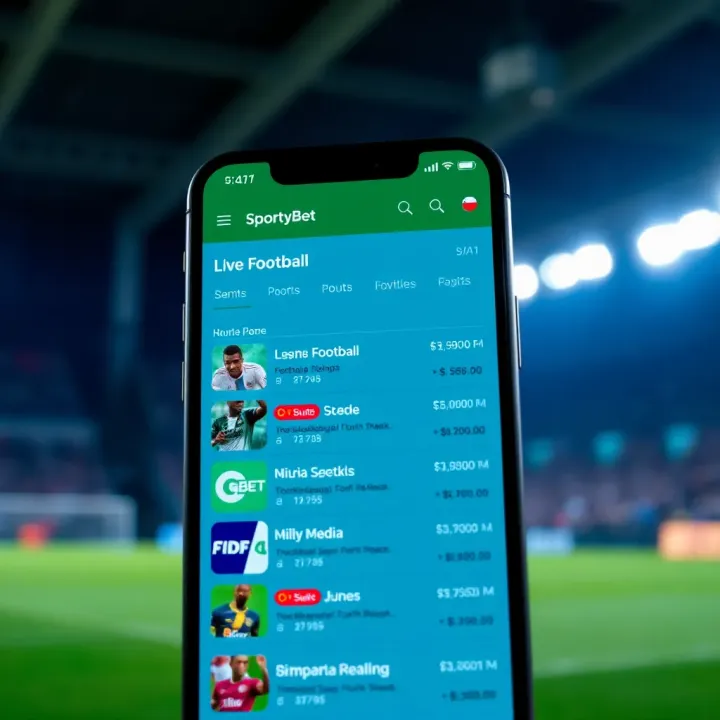
📱 Get all you need on SportyBet mobile app APK — from safe Android download, registration tips, live betting, football markets to easy payments in ₦. Bet smarter!
Based on 8 reviews